

Businesses often have a global infrastructure. That means employees spread across the world, and offices in every country a business extends into.
Collaborate and succeed
With this, they also need branch members to manage their consumer base, distribution and helplines. The net of commerce is vast, but it has drawbacks. It requires extensive travel to conduct meetings or the delay of awaiting electronic responses. This wastes valuable time, lowering employee morale and creating an unintentional divide between local and overseas branches. This means distinct, often uncommunicative bubbles of workers that hinder productivity and slash profits.
Five ways video conferencing helps
Being able to communicate directly with team members has always been a vital component of company growth. So, in this article, we’ll delve into 5 ways video conferencing brings teams together and boost productivity for any business.
Easy information exchange
There’s nothing worse than staring at your inbox, waiting for marketing to see your email on last quarter’s sales. Delays like these can stifle profits, waste manpower and inevitably, lead to lost revenue. Scheduled meetings via video conferencing allow teams to hear about department goals and the current tasks assigned to other parts of the team. They also help teams understand what is expected of them both individually and as a whole.
You can share data with everyone simultaneously. The team can give direct feedback on the objectives assigned. This optimizes information exchange between departments and potentially allows the incorporation of feedback into a business model. This can improve the product and increase profits.
Anytime, anywhere, no travel!

Bring all of your team to one place, without filling up the room! Whether you’re working from home, away on other business or based abroad, video conferencing allows any team member to communicate with other employees with ease. Simply set up a time, with digital meeting rooms at your fingertips. This way, you can eliminate the lost time and unnecessary travel of calling your team to the office every week.
In addition, coworkers currently away on business can still join a meeting, so long as they have internet access. Video conferences can be called anywhere, at any time they’re required. They don’t even require desktop computers; many smart devices, tablets and phones can join calls with audio and video streams. Even premium subscriptions are usually incredibly cheap compared to travel expenses, making it more financially viable.
Plane tickets and vehicle hire start to look like an expense from another era. An employee joins from home, from a coffee shop or from their own car, with no travel cost and no hours lost in transit, and the expenditure account feels the difference immediately.
Features to consider
Screen and file sharing
Broadcast a file, graph or sales summary you’re viewing to everyone in the call at once. This allows an instant visual representation of what you all need to discuss. This engages your employees and can improve cross-departmental understanding and cooperation. In addition, you can make files available on third-party sharing apps such as Dropbox and Google Docs. All this allows fast and effective dispersal of important information.
Chat
Most video conferencing tools carry a chat alongside the call. This allows participants to send messages rather than speak. This can be beneficial for a record of what was discussed. Or it can allow the meeting holder to speak uninterrupted while still allowing colleagues to ask questions and give feedback. This maintains sharp focus and increases productivity. It can also double as a chat log if the session is recorded.
Recorded minutes
Even with the availability of technology and the internet, not everyone will make it to every meeting. This could be due to time zone discrepancies, or flights or family emergencies. So, making use of the ability to record meetings can streamline catching up when they get back. It effectively removes the necessity of having someone take minutes. You can send the recording on to whoever needs it, or simply keep it on file for future reference. This allows others to experience the meeting as if present, hours or months after it occurred.
Project, time management and productivity tools
Shared scheduling and project management tools can be opened and questioned by everybody in the call, which keeps every department and branch inside the planning rather than outside it. A team sees its own objectives alongside everyone else’s, talks directly to the people it depends on, and updates its progress there and then.
Goal setting and the work-life balance
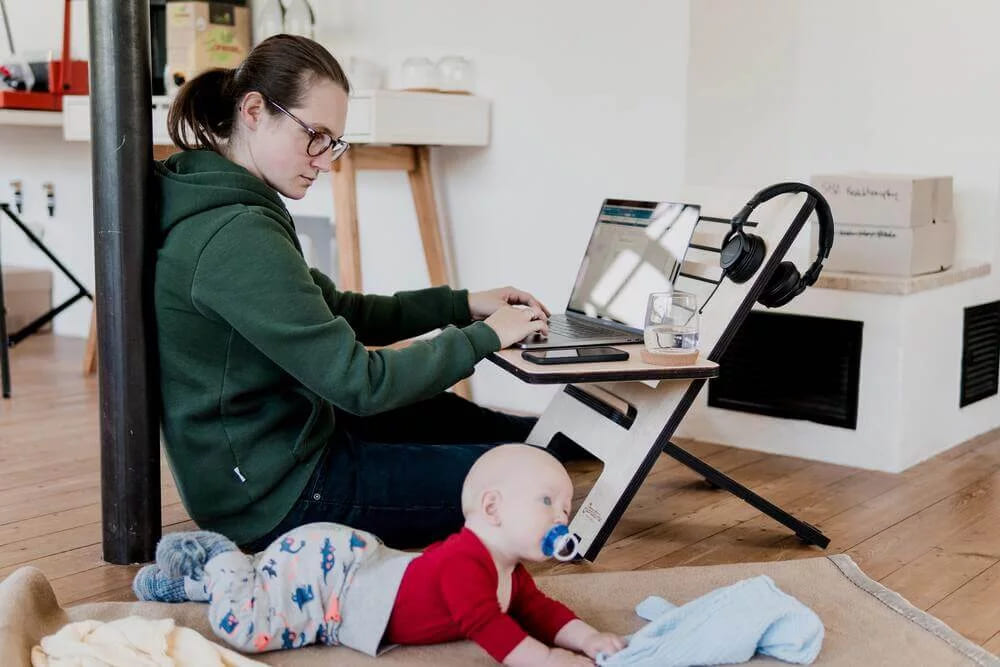
Especially with the rise in remote working, you will want everyone focused on the tasks that actually matter. Using video conferencing, you can spend time setting goals that work towards project milestones. This encourages productivity, as it keeps a team focused and gives a sense of accomplishment when fellow team members meet and surpass these goals.
In addition to this, employees are more likely to reach goals if they feel valued and able to take time for themselves. Encouraging a recurring "clock-off" and "clock-on" schedule allows staff to switch off and recharge. This sets a precedent that while you appreciate their work, their wellbeing is just as important.
Goals keep people productive and clear expectations keep teams together. Encouraging staff to take time for themselves, particularly when they work from home, lifts productivity, cuts the risk of burnout, and shows you value them as people rather than only as professionals.
Get more out of video conferencing
Where life is fast-paced and work can encapsulate our lives, it can be revitalizing to take a breather and talk to our loved ones. Seeing the faces of friends and family members can boost our mood, while the conversation can bring us joy and laughter. Video conferencing makes quick drop-ins with your parents or watching a show with your friends easier than ever before.
Still have to travel for work? A long, tiring journey is a good moment to call someone you care about, let them know where you are and hear what they have been up to. Chatting with friends and family like they’re there with you on the train can make a journey go by faster.
All it takes is the touch of a button and a smile.
Final thoughts on productivity
A call in real time replaces a week of email threads, and the travel it removes saves both time and money. Screen sharing, a chat log and a recording keep everyone clear on what was decided and who is doing it. Set the goals plainly, respect the hours people keep, and the meeting stops being an interruption and starts being the thing that moves the work along.
FAQ
How does video conferencing improve information exchange in teams?
Video conferencing allows team members to meet in real time and hear about department goals together which removes delays from waiting on emails and strengthens understanding of expectations across the team.
In what way does video conferencing remove the need for travel?
By enabling any team member to join meetings from home or while on business using a smartphone or tablet it eliminates the time and cost of commuting or traveling to an office.
What features should be considered to make video conferencing more effective?
Features such as screen sharing files, chat functions that let participants ask questions without interruption and the ability to record meetings all help to engage participants and allow those unable to attend live to catch up later.
How can goal-setting and work-life balance be supported through video conferencing?
Video conferencing gives teams the opportunity to set clear milestones and allow staff to switch off and recharge rather than stay connected all the time which increases productivity and shows value for staff wellbeing.
Why is video conferencing beneficial beyond business meetings?
Because it offers a quick way to connect with loved ones even while travelling it can boost mood and make long journeys less stressful by letting people see each other and chat casually as if they were together.