

Webinar script is one of the main components for the success of your webinar. If you have the perfect content for your audience, then you will not be able to present it well without a detailed plan and script.
Top-notch webinar script
Hosting a webinar could be nerve-wracking and challenging, but a good webinar script can help make it easier and minimize potential mistakes and issues.
Guess what? In this article we will try to analyze common issues and help you create a high-quality webinar script for your first webinar and a template for all your upcoming webinars. Yeah, yeah, we’re pretty amazing. You’re welcome!
Webinars have become a popular way for businesses to connect with their audience, share valuable information, and generate leads and sales. However, creating a successful webinar takes more than just pressing records and hoping for the best. Crafting a winning webinar script would be best to engage your audience and achieve your goals truly.
The first step in creating an excellent and top-notch webinar script is clearly defining your objectives. What do you hope to achieve with your webinar? Are you looking to educate your audience, generate leads, or promote a product or service? Once you have a clear goal, you can start developing your script with your audience in mind.
A successful webinar script should be structured to keep your audience engaged from beginning to end. Start with an attention-grabbing introduction that clearly states what the webinar is about and why your audience should care. From there, focus on delivering valuable content clearly and concisely. Use visuals and examples to help illustrate your points and keep your audience interested.
Another important aspect of crafting a winning webinar script is incorporating audience engagement throughout the presentation. This can be done through interactive polls, Q&A sessions, or even breakout rooms for smaller group discussions. By actively involving your audience, you can keep them engaged and increase their overall satisfaction with the webinar.
Practicing your script beforehand is essential to ensure that it flows smoothly and fits within the allotted time frame. Rehearsing your hand can also help you identify areas where you may need to add additional content or clarify specific points.
How to script your webinar? Practical tricks
Now, let’s look at the script; it’s written for a host and a presenter, but if you’re both, you can easily combine the roles when holding your webinar. Remember that paying attention to the needs of the participants is a priority. If you run your webinar using a dry script, your audience will be bored and irritated.
Okay, so first, you need to start the webinar and press the record button. It is not part of the script, but you don’t want to forget this!
Foreword
Moderator: Good afternoon! Thank you all for finding the time and visiting today’s webinar. My name is [moderator name], and I am [job title] at [company name]. Our company is the leading provider of [name of the product/service].
I will send a very short poll to confirm if you can see and hear us well.
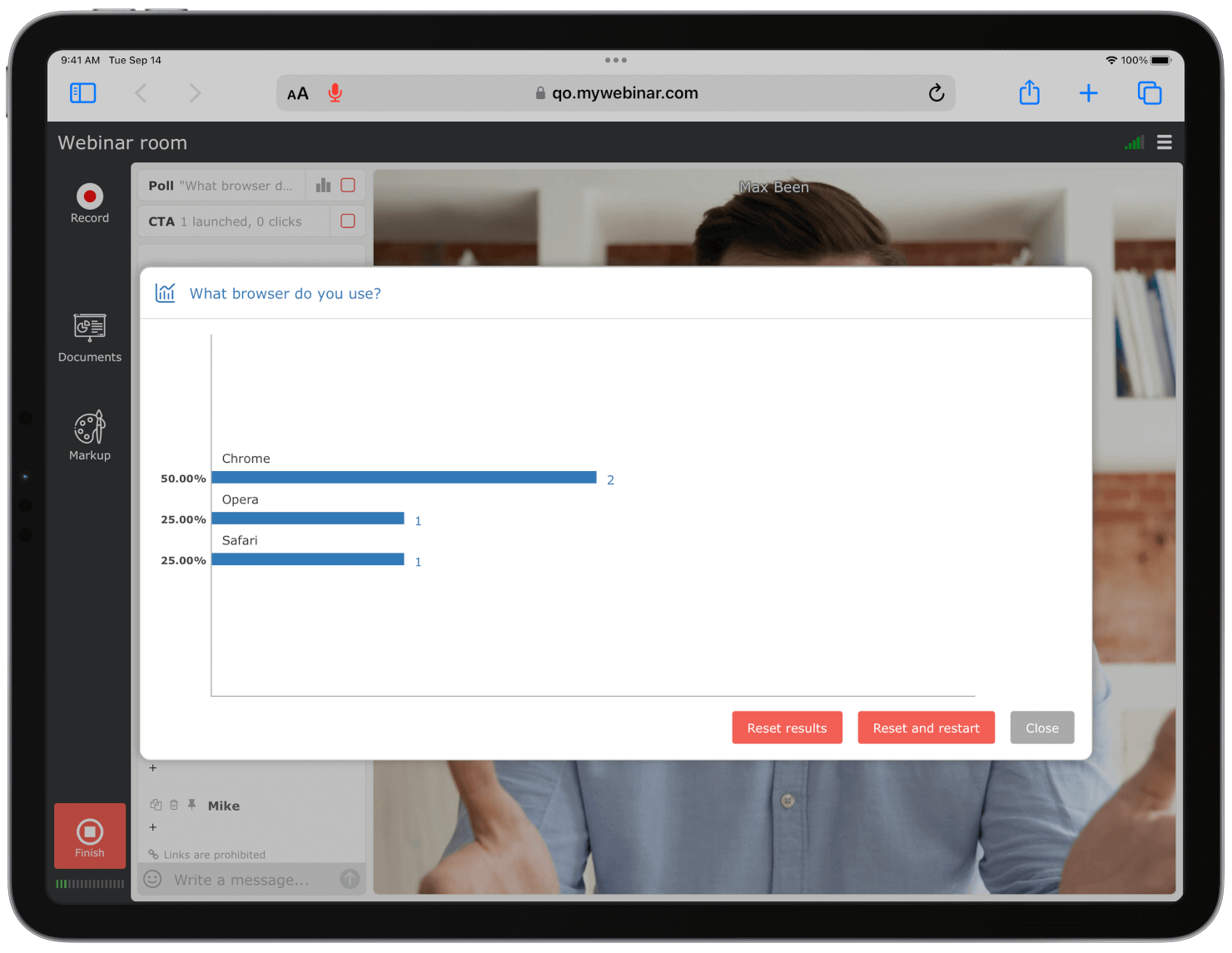
(Launch a poll as seen in the picture below and inform them of the time allotted for the response.)
Thanks for the feedback! I will quickly review some points, so we all have a seamless webinar experience. To avoid disturbing the course of the webinar, please communicate only via this button and, in exceptional cases, in the chat.
(Next, show the webinar agenda on the slides.)
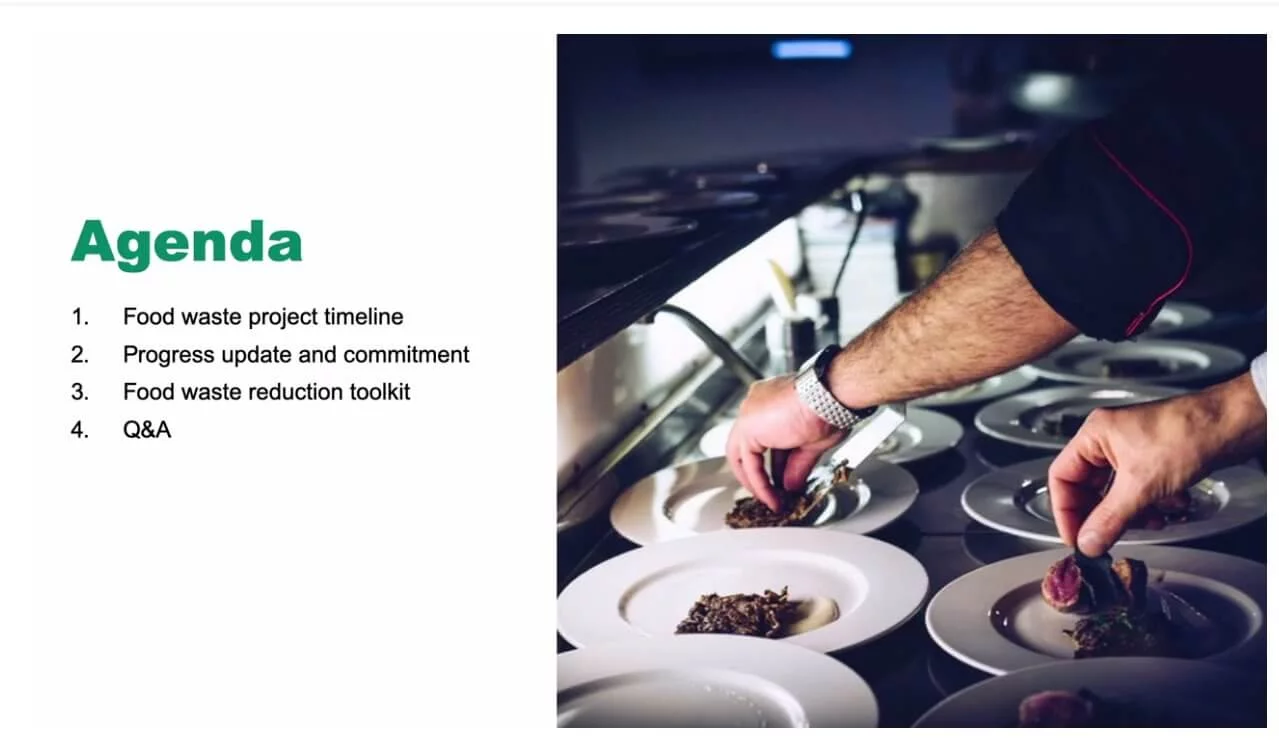
Source: YouTube
Breaks are planned for about an hour [insert exact time of breaks], but if there is a need for additional time, please let me know.
We will address some questions during short breaks in the presentation. Then, finally, we will leave time for a more extended Q&A session.
In case of any technical issues, please signal me in the chat. We will try to help you resolve it quickly. After the webinar, everyone will receive a link to the recording, which will only be valid for three days and all links to the mentioned sites.
Message to people who indicated that they have a technical problem:
Moderator: If you have technical issues, please first check the following basics:
- Is your internet connection stable? Is the upload speed fast enough?
- Are your headphones adequately connected? Is the volume level appropriate?
- Are other programs running in the background blocking the proper reception of the webinar, such as Skype, Viber, Teams etc.?
Now we can begin! Today’s speaker is [exciting facts from the speaker’s biography highlighting their expertise and status in the field].
Show a slide with the speaker’s photo and a short list of the main accomplishments and provide contacts.
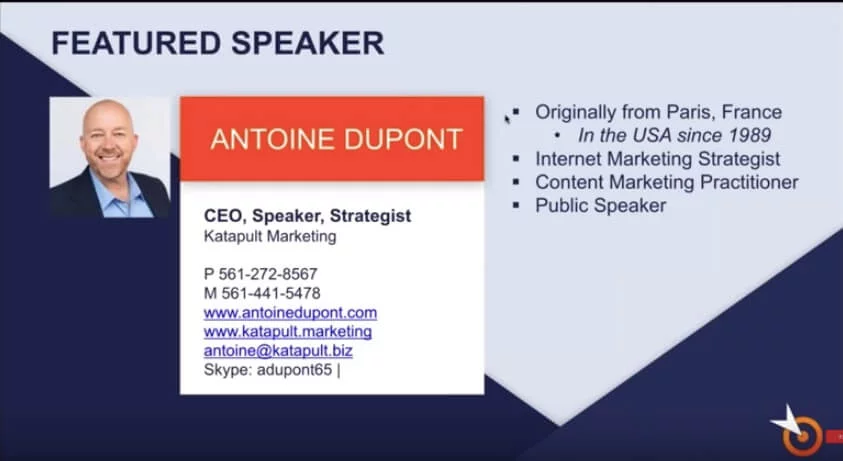
Source: YouTube
Presentation in a webinar
Presenter: Thank you, [moderator’s name]! It’s great that we can all meet today to explore the topic [Webinar Topic]. I will try to make it as clear and understandable as possible. However, please let me know in the chat if anything requires additional clarification. I am also happy to share supplemental materials if anyone is interested. Let’s get started!
(Take a break every 10 minutes during your presentation to talk to participants, ask about something, or answer questions. Then, you can turn on the poll once in a while and ask a single-answer question. The idea is not to control that participants are listening but to ensure they are actively engaged in the meeting.)
Handling audience questions during the webinar
Presenter: And that’s all for today. Thank you for participating in the webinar. I hope this meeting has expanded your knowledge. Now it’s time for your questions. Rest assured that I will try to answer each question if possible.

Source: YouTube
The audience can submit questions by typing them in a separate window. The host can check in advance what the participants are most interested in. Remember that this option doesn’t mean you can skip any questions because you find them boring. None of the participants should feel ignored.
Prepare a few variants for yourself in case of questions you cannot answer. You can get inspired by participating in free webinars on any topic. Notice how they deal with embarrassing or stressful questions. Then, apply that to your scenario.
Want access to helpful features like the “Ask a Question” button? Check out MyOwnConference! You can try the webinar platform for free with up to 5 attendees. Larger meetings do have a cost, but there are flexible pricing plans for different audience sizes.
Here’s what to say if the Presenter does not know the answer to a question:
Presenter: I admit that the question is very intriguing. I am not 100% sure about the answer, so I would like to explore this topic a bit before I try to explain it. Please leave your e-mail address in a private message, and I will be happy to answer this question later.
Closing remarks
Moderator: Great! Thank you all. We appreciate your being with us today. We care about your opinion, so please complete a short poll.
(The customer satisfaction survey should have three closed questions in which participants can rate the meeting.
Finally, it’s time for all the other announcements and the main call to action.)
Thank you again for attending today’s meeting. We encourage you to connect with us on social media. In addition, you can contact us by e-mail or telephone if you have additional questions. We are happy to provide additional support.
Notes for a webinar script
And what about the questions in the chat?
We advise you to turn off the chat when the speaker presents. Conversation can be pretty distracting, causing participants to lose focus. Instead, let the viewers ask their questions via a separate window. Thus, a moderator or a speaker can select exciting questions and answer them when the time is right. Such a system will also make it easier to keep order.
How to write a script for a presentation?
To make everything look natural, you should not write a detailed script for your presentation. Instead, prepare only a plan and an outline. When creating slides, try to reduce the number of words and focus more on eye-catching pictures.
Make sure to read our post on the seven most popular types of visual content to use in your webinars.
We hope you have plenty of ideas about writing a webinar script. Also, look at our previous articles for even more valuable tips and guidelines.
Frequently asked questions about webinar scripts
What is a webinar script?
A webinar script is a structured plan for the event. It sets out the introduction, main sections, speaker transitions, audience interaction, timing, conclusion, and call to action so that everyone involved knows what should happen next.
Why do you need a webinar script?
A script keeps the presentation focused, helps speakers stay within the planned time, and reduces missed transitions or technical cues. It also gives the moderator a clear reference when the discussion changes direction or an unexpected issue occurs.
How do I write a webinar script?
Start with the goal, topic, and audience. Then outline the introduction, main content, examples, interactive moments, audience questions, conclusion, and call to action. Assign each segment to a speaker, add timing and technical cues, and rehearse the complete sequence before the event.
How should I structure my webinar script to engage the audience?
Open with a clear promise that explains what participants will learn. Organize the main content into short, logical sections, support key points with examples, and plan regular moments for polls or audience questions. Finish with a concise summary and one clear next step.
What role do interaction and engagement play in a webinar and how do I include them in the script?
Interaction turns viewers into active participants and gives the speakers feedback about whether the material is clear. Mark the exact moments for polls, chat prompts, questions, and discussion in the script instead of relying on spontaneous engagement.
Should I write every word of the webinar or is a flexible outline enough?
A flexible outline is usually enough for experienced speakers and often sounds more natural. Write exact wording only where precision matters, such as the opening promise, legal statements, speaker introductions, transitions, and final call to action.
What technical and practical notes should I include in the webinar script plan?
Include checks for audio, video, and internet access, along with speaker roles, content cues, recording information, and instructions for audience questions. Add a fallback for unanswered questions, backup materials, important links, and the final call to action.