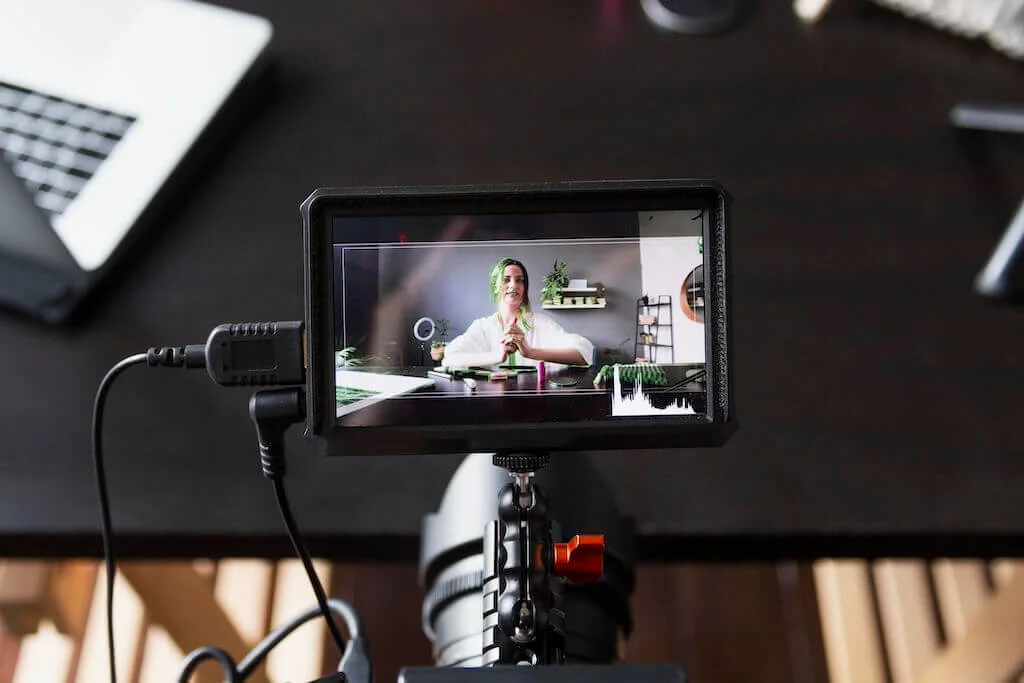

Presenting means speaking in front of an audience in order to explain a topic, idea, or point of view clearly and confidently.
Mastering Webinar Presentation Skills
Strong presentation skills matter because everyone eventually encounters situations where they need to share their thoughts and help others understand their perspective. A presentation can be about any subject, and it is not limited to professional or academic settings.
Many colleges have made it mandatory for their students to deliver successful presentations. In established companies, too, people have to deliver presentations either in person or through a webinar or web conference. At such a point, it becomes really important for a person to learn these skills.
Even if you never take a job and start a business of your own instead, you still need presentation skills to explain your policies and strategies to partners or employees. Say you run a design studio and decide to add a photography service alongside it. You will be holding meetings and seminars to explain how the new line launches and what the steps are.
Presentation skills
There is a difference between presenting in front of people and conducting a webinar. They are similar in most respects, but the audience is different. In a webinar you cannot see the people you are addressing, and you still have to be at your best. In front of a physical audience, the presenter has to think and act on their feet. Here are the skills you need to give a webinar presentation.
Communication skills
First and foremost, communication skills come into the picture. Without proper communication skills, you cannot deliver an engaging or interesting presentation. The presentation does not only mean to deliver content and know your slides well. Communication skills are required to interact with your audience and make them understand your topic. How well a presenter persuades the audience to listen is a skill in itself.
Confidence
The second essential skill is confidence. If you are confident, your body language will show it. Showing that confidence is also what captivates an audience. Having a thorough knowledge of content, good presentation, proper communication, etc. are factors that boost your confidence.
Remember the difference between being confident and overconfident. Being overconfident will not impress the audience. Too little confidence will not do the trick either. Many people have a fear of speaking in front of people, if you have the same fear, then take steps to overcome this fear.
Attractive slides
Good slides help you deliver the presentation and engage the audience. Note that attractive here means simple and elegant. Use pictures and small videos to explain the concept rather than using paragraphs. It is a presentation rule that a good presentation does not include long paragraphs.
According to a presentation statistic, 91% of people believe that if they have attractive slides, their confidence gets boosted while delivering a presentation. Some presenters simply read their slides aloud. Avoid that, because it shows poor presentation skills.
Body language

Yes, even in a webinar, your body language is important. It is a significant part of how you interact with an audience. Facial expressions, hand movements, eye contact and good posture are all body language. Hand movements should be made (but not too much), make eye-contact, while presenting a webinar, make sure you look into the camera rather than around the room.
Maintain a good posture, stand straight and don’t stick to one place, shift from your place after some time, don’t keep arms crossed. By following these tips, you will definitely be a good webinar presenter.
Dress code
Dress code is not mandatory in all webinars. But for delivering a presentation in a company or while video conferences, etc. you must be in formals. Formal attire for men means a formal shirt and trousers, with a tie.

For women, a formal shirt with trousers or a skirt works, and so does a formal dress. Do not wear fancy clothes, excessive make-up, and fancy shoes. The dress code helps in showing your seriousness and makes you a good presenter. It makes you look professional.
Pitch
This is an area where people make a mistake. Keeping the same pitch throughout the webinar or low pitch both are wrong. You must know on which topic you need to keep your pitch high or low. Important topics or stats are presented using high pitch and less important factors can be said in a low pitch.
Engage the audience
A good presenter will always attract and interact with the audience. In the webinar, your audience can post live comments or suggestions or queries. For interacting with the audience, you can ask questions. One slide can be included for question and answers or short quizzes. This will help in interacting with the clients.
Rehearsals
Rehearse before you present, as many times as it takes to be satisfied. Rehearse in front of a mirror. It is a good practice to adopt. You should also record your presentation. By recording it, you can learn where you make mistakes and areas you need to improve in.
It should never look as if you crammed the material and are now reciting it, and fumbling is worth avoiding for the same reason. To avoid these factors, rehearsing is necessary.
Time tracking on topics
Webinars are time-bound. Even if you are not given a time limit, you must make a schedule and manage the time accordingly. Being a presenter, you must know which topics should be presented for a longer time span and which to present for a shorter period.
The timespan of a topic depends on its weight and importance. If a topic is essential, then spend more time on it and give examples so that the audience understands it. If a topic is not essential, you can skip it or explain it in a few lines along with an example.
With these skills you will present well, and there is no doubt about it. Also, choosing a camera and microphone for the webinar is essential. The electronic devices should be connected properly to avoid errors while presenting. In the end, ask for questions or feedback and thank your audience for investing their time to listen.
Final thoughts on presentation skills
One clear idea per slide, a voice that varies, eyes on the camera, and a couple of planned moments where the audience gets to speak. That is most of it. What you say matters, but so does how you carry it and whether the people watching feel included. Rehearse properly and the session stops being a slide show.
FAQ
What is the most important skill for hosting a webinar successfully?
The most important skill is the ability to communicate clearly and engagingly so your audience understands you and stays interested.
How can I build confidence before going live?
You build confidence by mastering your content thoroughly, rehearsing several times, and picturing how smoothly the session will go.
How many slides should I use and how should they look?
Your slides should be simple and visually clean with minimal text and use images or short videos where they help explain an idea.
What role does body language play when the audience is remote?
Even when the audience is remote, your body language still matters, because posture, facial expressions and hand gestures carry energy through the screen.
How do I keep participants engaged during a webinar?
You keep participants engaged by asking questions, running short quizzes, inviting feedback, or opening a Q&A session.