
Webinars have become an effective channel for the promotion of numerous products and services.
Mistakes of webinar owners
Yet, even with successful webinars, there are many unexpected events that happen due to mistakes made during preparation. In this article, we’ll look at the most popular webinar mistakes and give the best ways of solving them. Let’s dive right in!
Mistake 1. One week for promotion
Many companies start the active promotion of a webinar only one week before the event takes place. ON24 put numbers on what that costs in its 2017 Webinar Benchmarks Report, which found that almost one in four registrants sign up more than 15 days ahead, while another 25% register on the day of the event itself. Promote for a single week and the first of those groups never hears that you exist.
Solution
Start promoting your webinar two or three weeks before the event. Giving yourself enough time to promote it will make your strategy more flexible because you can test different webinar marketing tools, stop using the ones that do not work well, and try new channels. Simply put, the earlier you start spreading the word, the better your results will be.
People today are extremely busy and often have packed schedules. When you tell them about your webinar early, they have a much better chance to plan ahead, fit it into their calendar, and actually remember to join when the day comes.
Mistake 2. Veiled advertisement
Webinars help people find answers to their most pressing questions and spark fresh inspiration. If the speaker starts advertising or selling immediately, it will be very difficult to gain the audience’s trust. Nobody would like to spend time listening to ads.
Showcase new problem-solving approaches to potential clients. This positions you as an expert and strengthens the effectiveness of your product or service presentation.
Solution
Help people. Don’t be afraid to share precious pieces of advice and working practices. This way you will form the image of a professional and will never fail to draw clients. Trust grows when you demonstrate a genuine interest in your audience’s needs and offer valuable insights in return. This way, they get valuable information, while you get clients who may become loyal, long-term clients if you play your cards right.
Mistake 3. Reading slides
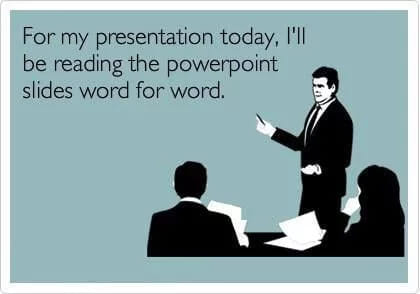
Never read the slides during your presentation. This advice is probably the most common and straightforward for any webinar presenter. However, some speakers still repeat what is written on their slides almost word for word. This often annoys the audience because they could simply read the slides themselves instead of joining the webinar.
It also gives the impression that the speaker does not know what they are talking about. As a subject-matter expert, you should know the slide content well enough to elaborate on it rather than recite it.
Solution
Use slides as an additional means for your presentation. They will help you draw the audience’s attention, and accentuate some important information and assertions, but they should never stand in for your presentation.
Mistake 4. Bad sound
Low-quality sound easily turns the effectiveness of any webinar to zero. When visitors cannot hear you well, they would rather just leave the webinar. It can be really frustrating for any attendee to struggle to hear or understand what you are saying.
Moreover, poor audio quality can directly impact how attendees perceive your professionalism, potentially tarnishing their view of your entire company.
Solution
- Before your webinar begins, ensure a distraction-free experience for your audience. Turn off your phone, silence notifications, and close unnecessary software.
- Be sure to test the platform you intend to use about half an hour before the broadcast starts. If you notice problems with sound, try to eliminate them or use another webinar service.
- If you are broadcasting from your office, make sure you have asked your colleagues not to disturb you.
- Holding a webinar in a small room is a good idea, as a large room could cause the effect of an echo.
- Don’t use the built-in microphone on your computer. It is better to try a headset or a special microphone.
Mistake 5. Breaking time limits
Almost every webinar attendee has encountered a situation when the speaker was late to start the presentation or just made the webinar last much longer than initially planned. Of course, nobody can guarantee that nothing unforeseen will happen. However, it is important to keep in mind that such situations influence the general impression you make.
When a webinar goes on for too long, it is easy to lose the interest of your audience. If your main promotion of your company or products comes at the end of the webinar, you may have lost most of your audience by the time you get to the end if it extends beyond the scheduled time. As mentioned earlier, everyone is busy, and most people will have something else to do after the scheduled end of your webinar. And even if they do like it, people get restless when they are focusing on one thing for too long.
Solution
Respect the time of your listeners. When scheduling a 60-minute webinar, limit your presentation to 45 minutes. This allows 15 minutes to address attendee questions.
Enter your webinar room 5-10 minutes before the webinar starts. This will be enough to attach all necessary equipment and start your webinar on time.
Mistake 6. Forgetting about the audience
One of the key peculiarities of webinars is their interactive character. Don’t turn your webinar into a lecture. Communicate with your audience throughout the webinar, not only when the time has come to answer questions. No matter how interesting your webinar topic is, if there is no proper communication with the audience, your audience’s interest will fade.
Solution
Webinar services provide numerous instruments for interacting with visitors. As the webinar host or speaker, ask questions, conduct polls, invite visitors to live communication and organize quizzes. The more versatile your methods are, the more active and involved your audience will be.
Mistake 7. Absence of analytics
Many presenters limit their activity to counting clients they have managed to attract during the webinar. Yet, they forget to analyze the information they obtained during the webinar.
Solution
One of the marketing advantages of webinars is that they provide lots of data about users. During the webinar, you can ask visitors for their ages, positions, companies they represent, and other relevant details. Moreover, you can gather behavior information such as how long they stayed connected and what questions they asked. Analyzing this data helps you identify weak points and fix any issues that may have affected engagement. You can also integrate Google Analytics into the webinar room to gain even more valuable insights for continuous improvement.
A pre-flight check you can actually run
The seven mistakes above are about habits. This one is about settings, and it is the part people skip because nothing warns them. Run it in your dashboard the day before, not an hour before, because two of these rows cannot be fixed once the event is live.
| Check | Where to fix it |
|---|---|
| The event is scheduled and has a room link you can send | Webinar planning |
| Every co-host you invited has a speaker seat | Plan selection |
| Each speaker knows if they are moderator or presenter | Roles |
| You opened the room as a guest sees it, not as host | Room branding |
| You know when your recording stops | Recording |
| You know how attendees will get the replay | Recording link |
| Your offer exists as a button, not a spoken sentence | CTA buttons |
Three of those rows have a number behind them worth knowing before you plan the agenda.
Speaker seats are 2 on the free Starter plan, 10 on paid plans, and 12 once a plan carries 500 attendees or more, so a panel of five simply does not fit on the free plan.
The recording row is the one that catches people most often, because two different limits are easy to confuse. Nothing cuts your broadcast short, so a three-hour event runs to the end on any plan including the free one. The recording is what stops, and on free Starter it stops after twenty minutes, which means the part you wanted to send afterwards is the part you no longer have. On any paid plan a single recording runs to ten hours before it closes the file.
A shareable replay link is a paid-plan feature, so decide how people will receive the recording before the event rather than after it.
Final thoughts on avoiding common webinar mistakes
Webinars can be a powerful tool for communication and promotion when done right. However, even experienced hosts are not immune to making simple mistakes that negatively affect engagement and results.
By planning ahead, avoiding excessive self-promotion, ensuring good sound quality, managing your time wisely, and interacting with the audience, you can create a professional and enjoyable webinar experience. It is also essential to gather and analyze data to understand what worked and what can be improved. Most importantly, stay focused on the needs of your audience and keep refining your approach.
Mistakes are part of the learning process, but with careful preparation and the right mindset, they can be minimized or avoided entirely. Recognizing and correcting webinar mistakes not only improves your next session but also builds trust and reliability among your viewers. In the end, the success of your webinar depends on how well you deliver real value while staying flexible and listening carefully to feedback. Each time you host a webinar you gain experience and learn from your mistakes, and over time that turns into hosting that is more confident, more effective, and better for your brand.
FAQ for webinar organizers
What are the most common webinar mistakes?
Weak promotion and veiled advertising are the most common mistakes on the organizing side. From the presenter’s side, it is bad sound, no respect for the listeners’ time, and no effort to involve the audience.
What steps can you take to proactively avoid mistakes?
Be creative. Make your webinar live and interesting, involve the audience in it, and let them speak. Before the start of the webinar, take care of the sound, camera, and place. Don’t forget about your outer appearance. Prepare a script if you need one. Do your best to ensure that the listeners get everything they need and want to come back to you again.
How can you keep webinar attendees engaged?
A host can keep the audience engaged by using interactive tools like polls, questions, and chat. It is also important to speak clearly, vary your tone, and include real-life examples. Avoid simply reading slides and make the content feel like a two-way conversation. This helps the audience stay focused and interested.
Why is preparation important for a webinar host?
Good preparation helps the host feel confident and avoid technical or content-related issues. It allows time to test equipment, review the agenda, and plan for audience interaction. Being well-prepared shows professionalism and builds trust with attendees. It also helps the webinar run smoothly from start to finish.