
Extra seats during a webinar
Your plan sets the size of the room, and some days the audience disagrees with it. People forward the link, a post lands better than you expected, and the room fills while you are still talking. There is a way out of that from inside the event, without stopping anything or asking anyone to rejoin.
Where it lives
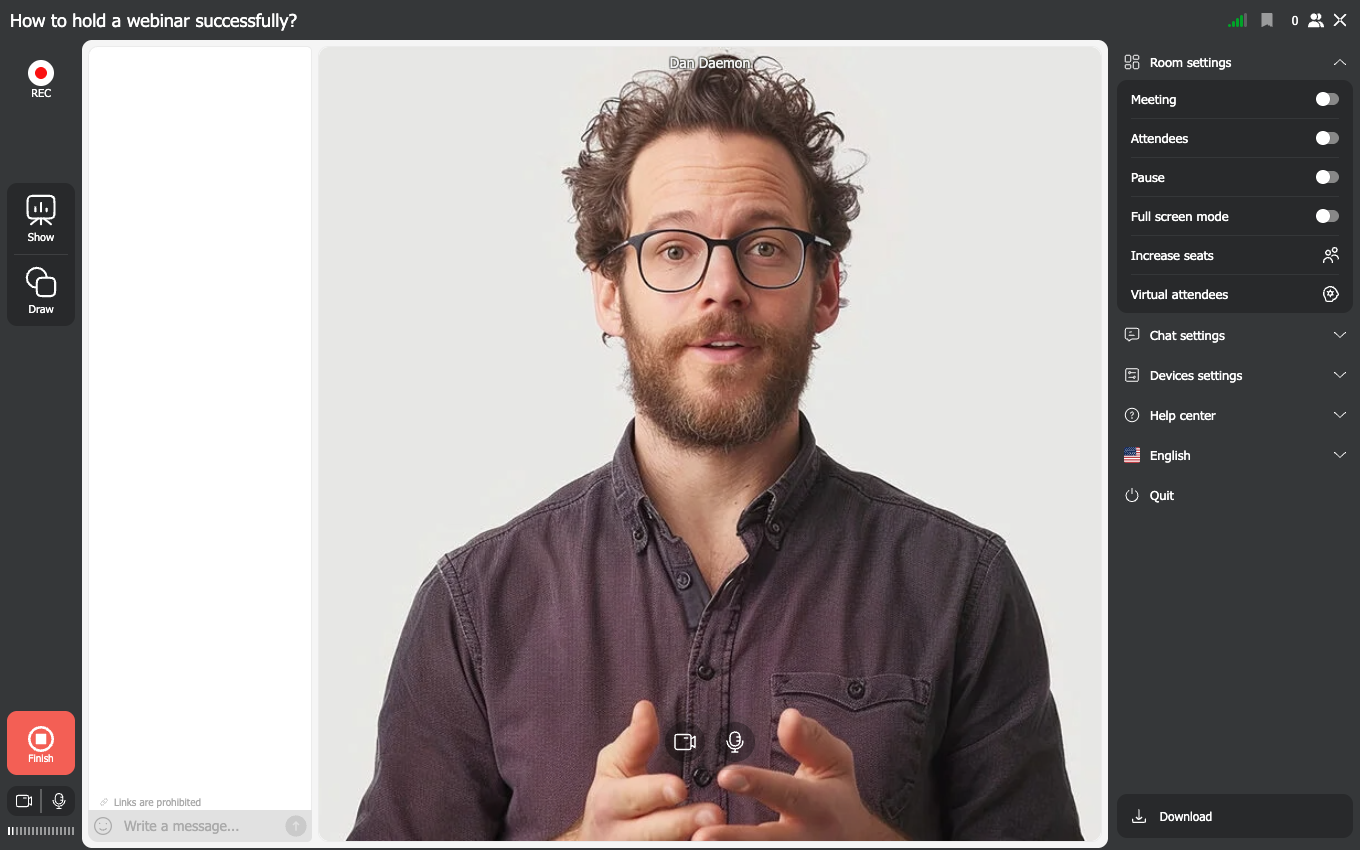
Open the room menu, expand "Room settings" and choose "Increase seats". The free Starter plan has the option too, so it is not something you unlock by paying more.
Confirm the purchase, then pick a payment method and follow the instructions. The payment page opens in a new tab and closes itself once the payment goes through. One purchase adds exactly 100 seats and the room grows within a few seconds, so nothing restarts and nobody has to come back in.
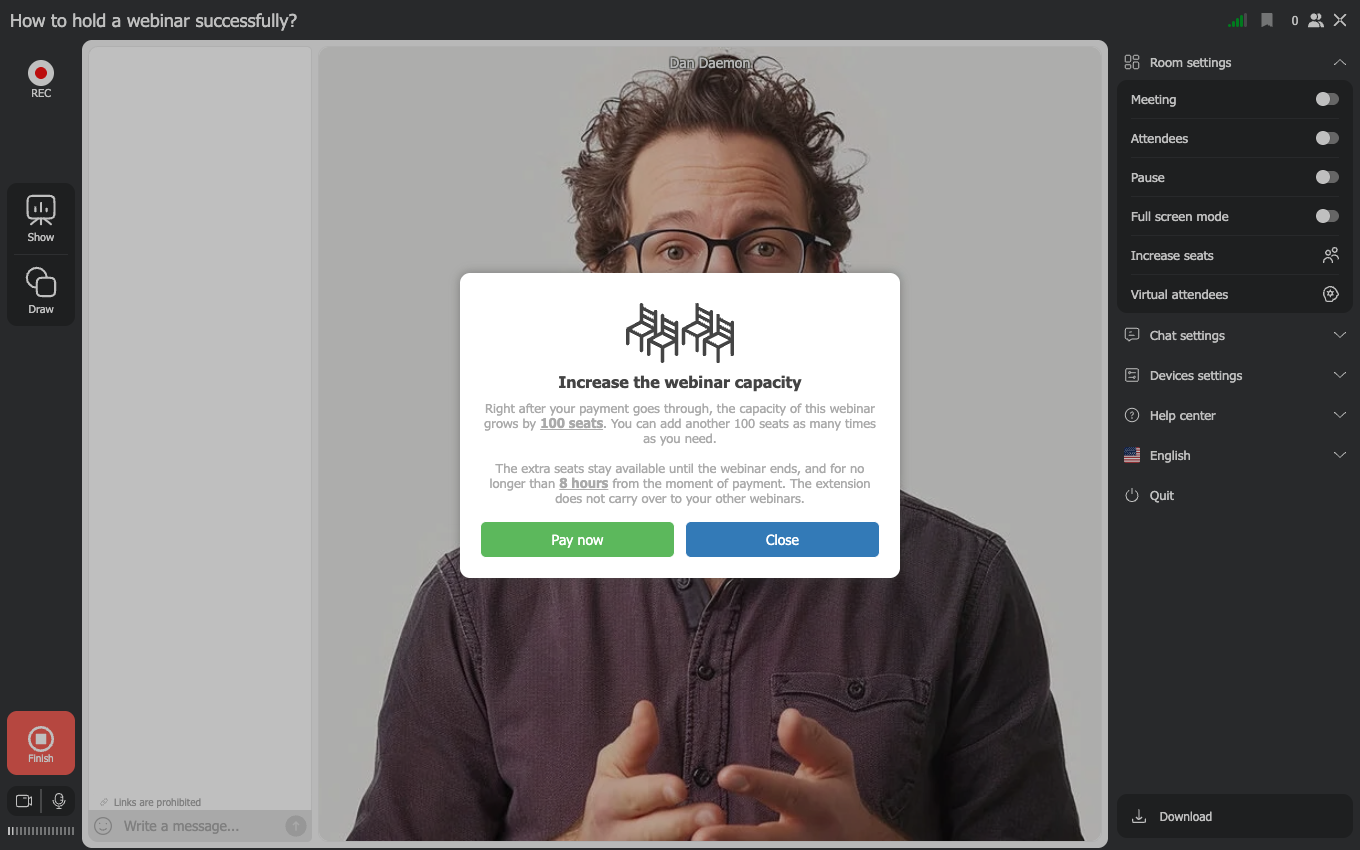
You can repeat it as many times as the event needs.
The seats last until the webinar ends. After that the room goes back to the size your plan provides, and nothing stays on the account.
Your plan and this purchase are not the same thing
This is the part that catches people out, so it is worth being exact about it.
The capacity of your plan belongs to the account. Daily, monthly and yearly plans all work this way. Whatever the plan allows is available to every webinar you run, and when several run at the same time, that one total is shared out between them.
Seats bought from inside a room belong to that webinar. They lift the ceiling of the event you bought them in, and only that one. A webinar running alongside it keeps the size its plan gives it.
So two events filling up at the same moment need two purchases, one in each room. Buying twice in the room you happen to be looking at will not help the other one.
What the people outside see
Once the room is full, anyone else who follows the link is told there is no space and has to wait for somebody to leave. Nobody is queued and nobody is let in automatically, so the moment worth acting on is while people are still arriving rather than after they have given up and closed the tab.
The attendee list header is what to watch. It reads as the number of people in the room, then the total the room holds, and that total moves up by a hundred as soon as the payment goes through.
Buying seats or changing the plan
Buying seats suits the event that turned out bigger than usual. If your audience outgrows the room regularly, the arithmetic turns around and a larger plan costs less than topping up every time. How to choose and pay for a plan sets the plans beside each other, including the one-day plans that suit a single large event you can see coming.
Where the price is
The amount is on the payment page that opens when you confirm, so you see it before anything is charged. The pricing page covers the plans themselves rather than this top-up.
Frequently asked questions
Can I buy the seats before the webinar starts?
No. "Increase seats" lives in the running room, so there is nothing to press until the event is on air. When you already know the audience will be large, buy the room in advance instead, either by sizing the plan for it or by taking a one-day plan that covers a single big event without committing you to a month.
Does the purchase also cover another webinar running at the same time?
No, and this is the answer that surprises people. The seats attach to the webinar they were bought in. The capacity that spreads across all your simultaneous events is the one that comes with your plan, not this purchase. If two rooms fill up at once, buy in each of them.
How many times can I do it?
As often as the event needs. Each purchase adds another 100 seats and they stack.
Do the extra seats stay on my account afterwards?
No. They last until the webinar ends, and then the room returns to the size your plan provides. Nothing carries over to your next event and nothing appears on your next invoice.
Does it change anything besides the number of seats?
No. It buys room for people and nothing else, so how long you can record, how many speakers go on camera at once and how much storage you have all stay exactly as your plan sets them.
