
Registration limit by plan capacity
A webinar can stop taking sign-ups on its own once it holds as many people as your plan allows. The switch is called "Stop registration at pricing plan capacity", and it lives on the "Entry" tab of the webinar settings.
The platform describes it in one line. Registration closes automatically once the capacity of your pricing plan is reached, anyone who opens the link after that is told registration is closed, and switching the setting off opens the page again.
Where the switch is
Open the webinar from "Calendar", either through the three dots and "Settings" or while you are still creating it, and go to the "Entry" tab. The switch sits directly under the "Login form" block, between "+ Add field" and "Enable form embedding".
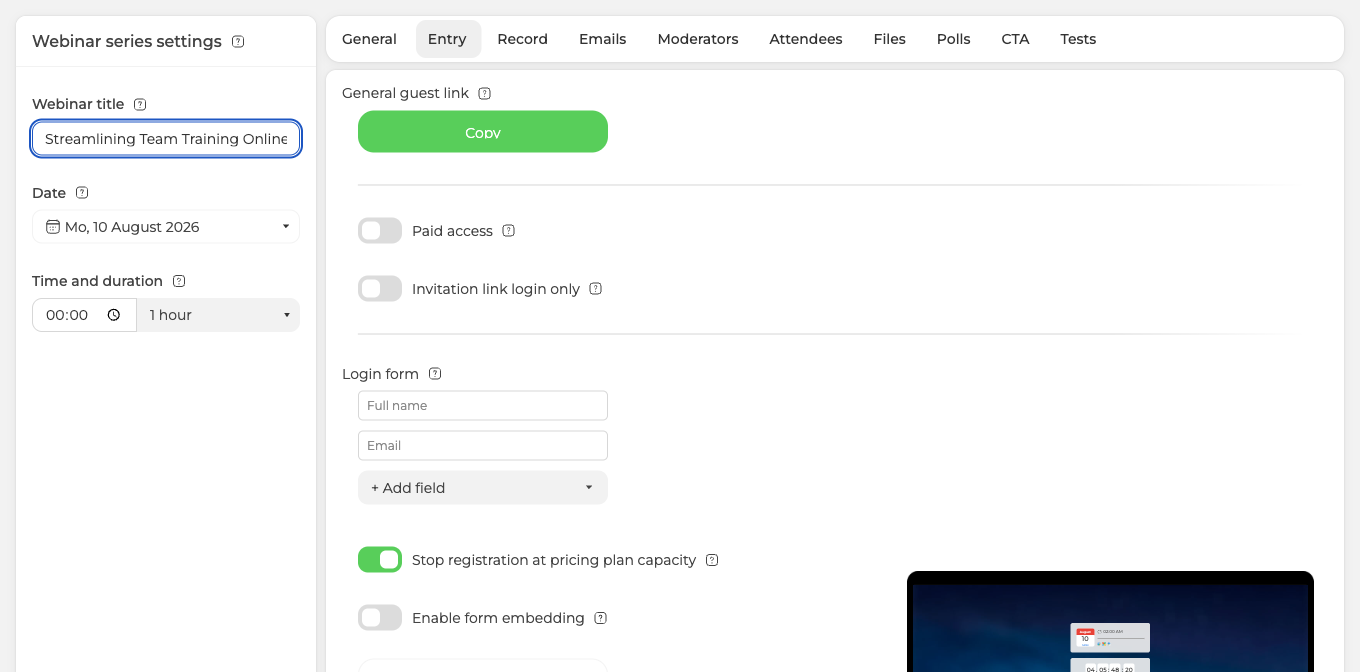
It is there for scheduled webinars and for automated webinars, whose "Entry" tab is the same one. A permanent webinar room does not have it, and neither does a webinar you start on the spot, because neither of those puts a registration page in front of people.
What the cap actually counts
This is the part worth reading twice, because it decides whether the cap behaves the way you expect.
The cap counts everyone attached to the webinar, not only the people who found your link and signed up. On a plan that holds 100 attendees, a webinar with 28 people on its list and not a single self-registration showed 72 seats left.
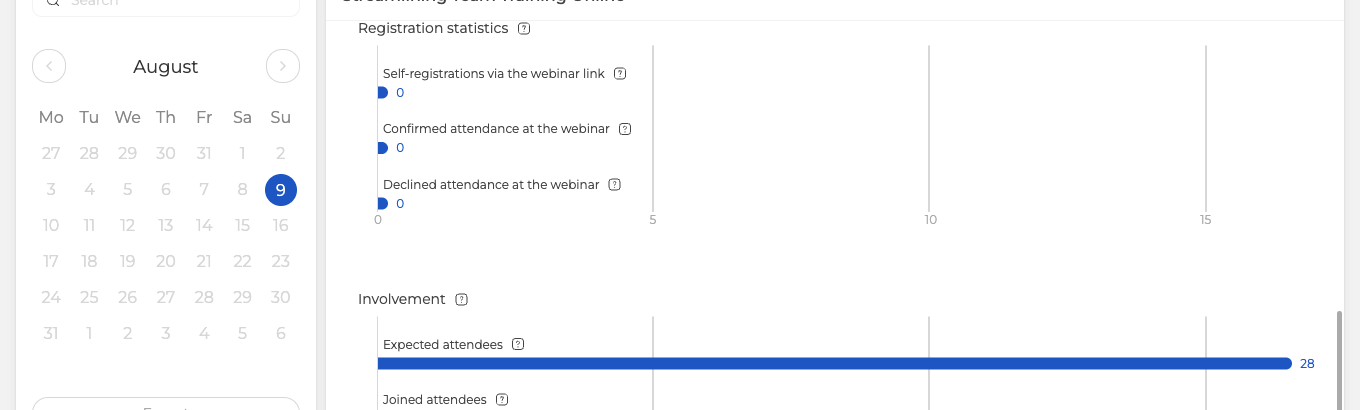
So contacts you add by hand or import take seats exactly as sign-ups do. Import 500 people into a plan that holds 100 and registration closes before anybody has seen the page. Attendee invitations and management covers how that list is built.
The capacity it counts against is the one your plan gives you, so a free Starter account closes registration at 5 attendees. What a paid plan holds, and where the very large rooms come from, is in How to choose and pay for a plan.
You do not have to set anything up for the count to work. The registration form always asks for a name and an email address, both of which are mandatory and cannot be switched off, and any field you add yourself is mandatory too.
The seat counter is a separate switch
The number of free seats on the registration page is not part of the cap. It is its own preference, "Show number of available spots", further down the same "Entry" tab under "Preferences".
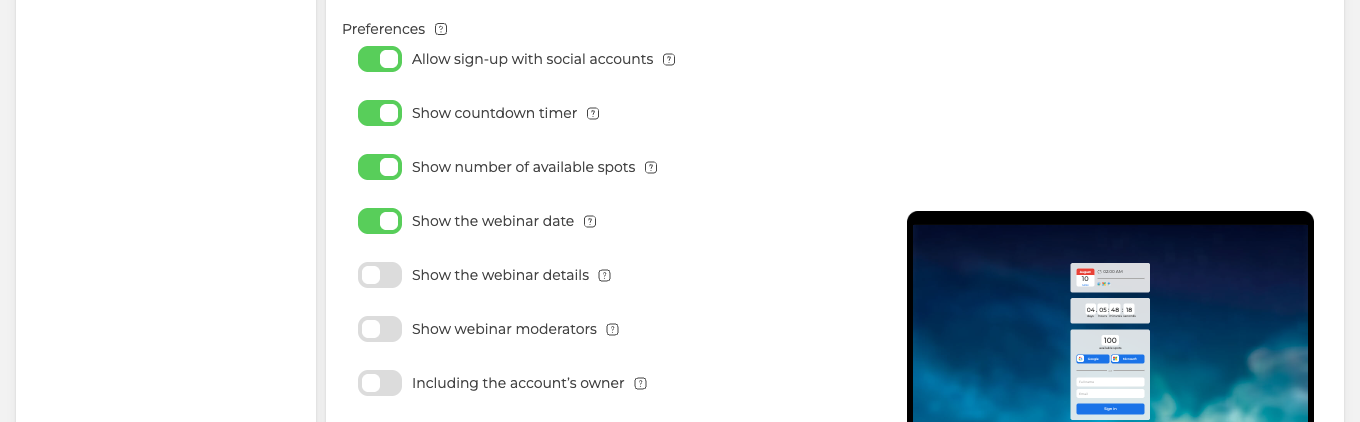
Leave it on and visitors meet a live count of the seats still free.
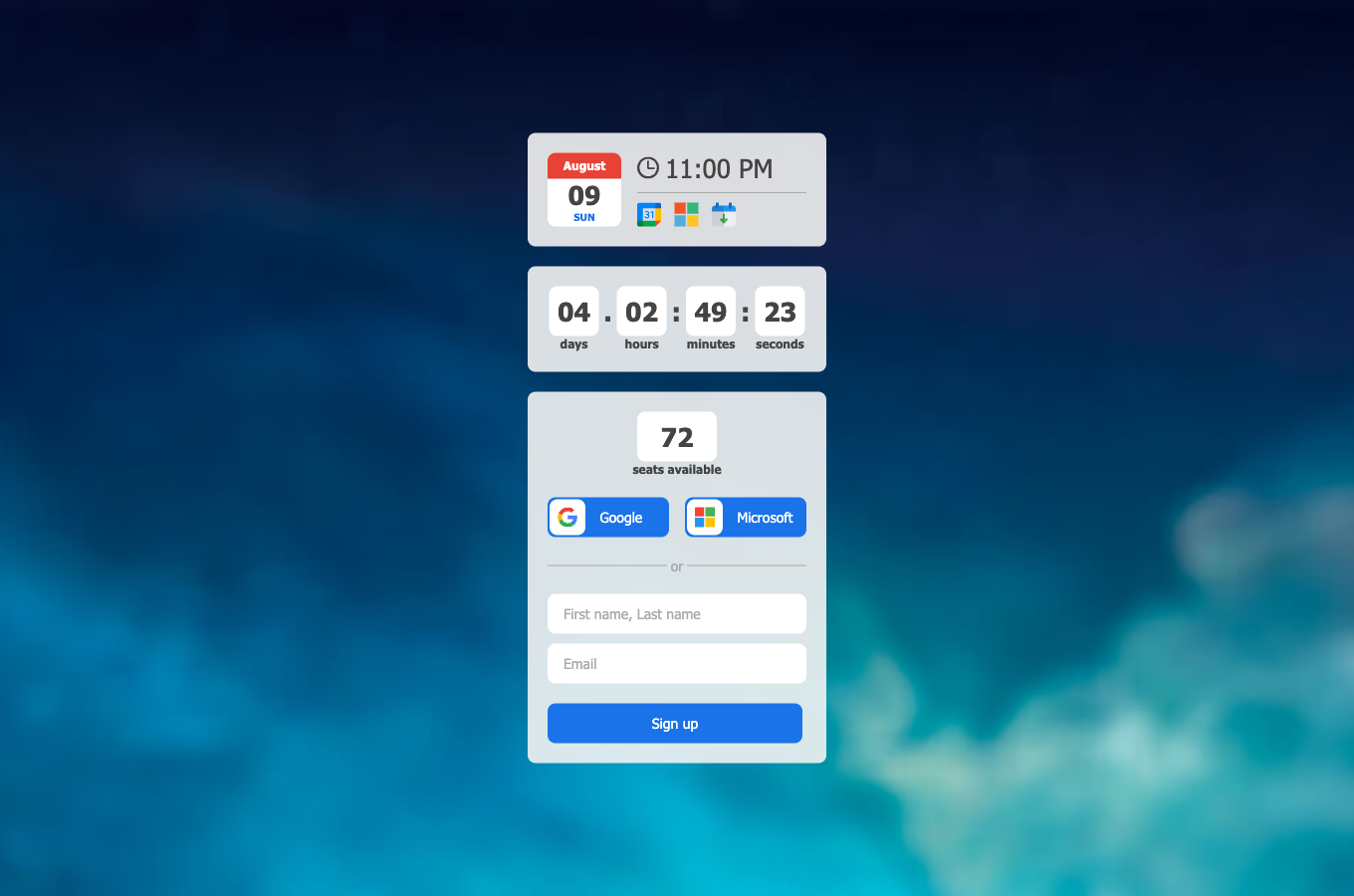
The two switches are independent, but the cap changes what the counter means. On the same webinar the counter read 72 seats with the cap on and 98 with it off. Only the first of those is the number that will actually stop registration, so if you show the counter at all, show it with the cap on. Otherwise the page advertises seats that nothing is holding for anyone.
Reopening registration
There are two ways back.
Switch the cap off on the "Entry" tab, and the page starts accepting sign-ups again straight away. You can turn it on and off as often as a particular event needs.
Or raise the ceiling instead of removing it, by moving to a plan that holds more people. The cap follows your plan, so a larger plan simply means more seats before the page closes.
Checking who has registered
Open the three dots on the webinar and choose "Statistics". The screen is headed "Webinar insights", and its "Registration statistics" block counts self-registrations through your link separately from everyone else.
The "Mailing schedule" block above it shows how many attendees the event has, and "View" beside that number opens the full list, where every row says whether the person signed up themselves or was imported.
If the cap does not seem to work
Check the link people are using. The cap belongs to the registration page, so what it guards is the general guest link from the webinar's "Links" menu. It has nothing to hold back where there is no registration page, which covers permanent rooms, webinars you start on the spot, and any webinar running with "Invitation link login only", where the form is hidden and people arrive by personal links sent to their email.
Then look at the count rather than at the sign-ups. If the attendee list already holds more people than your plan allows, the page was closed from the moment you switched the cap on, and nobody ever saw it open.
If the numbers still do not add up after that, open the online chat and tell us the event and the two figures you are comparing.
Frequently asked questions
What do visitors see once registration has closed?
Anyone who opens the link after the capacity is reached is told that registration is closed, and no further sign-ups are taken. Switching "Stop registration at pricing plan capacity" off on the "Entry" tab opens the page again straight away, and you can turn it on and off as often as a particular event needs.
Does the cap work on a permanent room or with personal invitation links?
No, because the cap belongs to the registration page. What it guards is the general guest link from the webinar's "Links" menu, so a permanent webinar room, a webinar you start on the spot and a webinar running with "Invitation link login only" give it nothing to close. The switch is there for scheduled webinars and for automated webinars, which share the same "Entry" tab.
Registration closed although nobody has signed up, what happened?
The cap counts everyone attached to the webinar, not only the people who found your link and signed up, so contacts you add by hand or import take seats exactly as sign-ups do. Import 500 people into a plan that holds 100 and the page is shut from the moment you switch the cap on, with nobody ever seeing it open. Attendee invitations and management covers how that list is built.
Why does the registration page show more free seats than my plan holds?
Because the seat counter is a separate preference and does not follow the cap. On the same webinar the counter read 72 seats with the cap on and 98 with it off, and only the 72 is the number that will actually stop registration. So if you switch "Show number of available spots" on, run it with the cap on as well, otherwise the page advertises seats that nothing is holding for anyone.
How many registrations does a free account take before the page closes?
Five, because the capacity the cap counts against is the one your plan gives you and a free Starter account closes registration at 5 attendees. The way to raise it is to move to a plan that holds more people, since the cap follows your plan rather than a figure you type in. How to choose and pay for a plan covers what the paid plans hold.
